
街景醫生 Street Doctor
街道點位追蹤與回報

街道點位追蹤與回報
街景醫生是一款公民參與的群眾外包地理資訊(VGI)Android 應用程式。使用者可自訂追蹤類型,記錄街道上各種點位的變化,例如道路缺失、人行道障礙、街頭藝術、選舉看板等。所有資料優先儲存於本地裝置,無需網路即可完整運作。
Street Doctor is a civic participation / crowdsourced geographic information (VGI) Android app. Users can define custom tracking types to record changes at street-level points of interest — such as road defects, sidewalk obstacles, street art, or election signs. All data is stored locally on the device first and the app works fully offline.
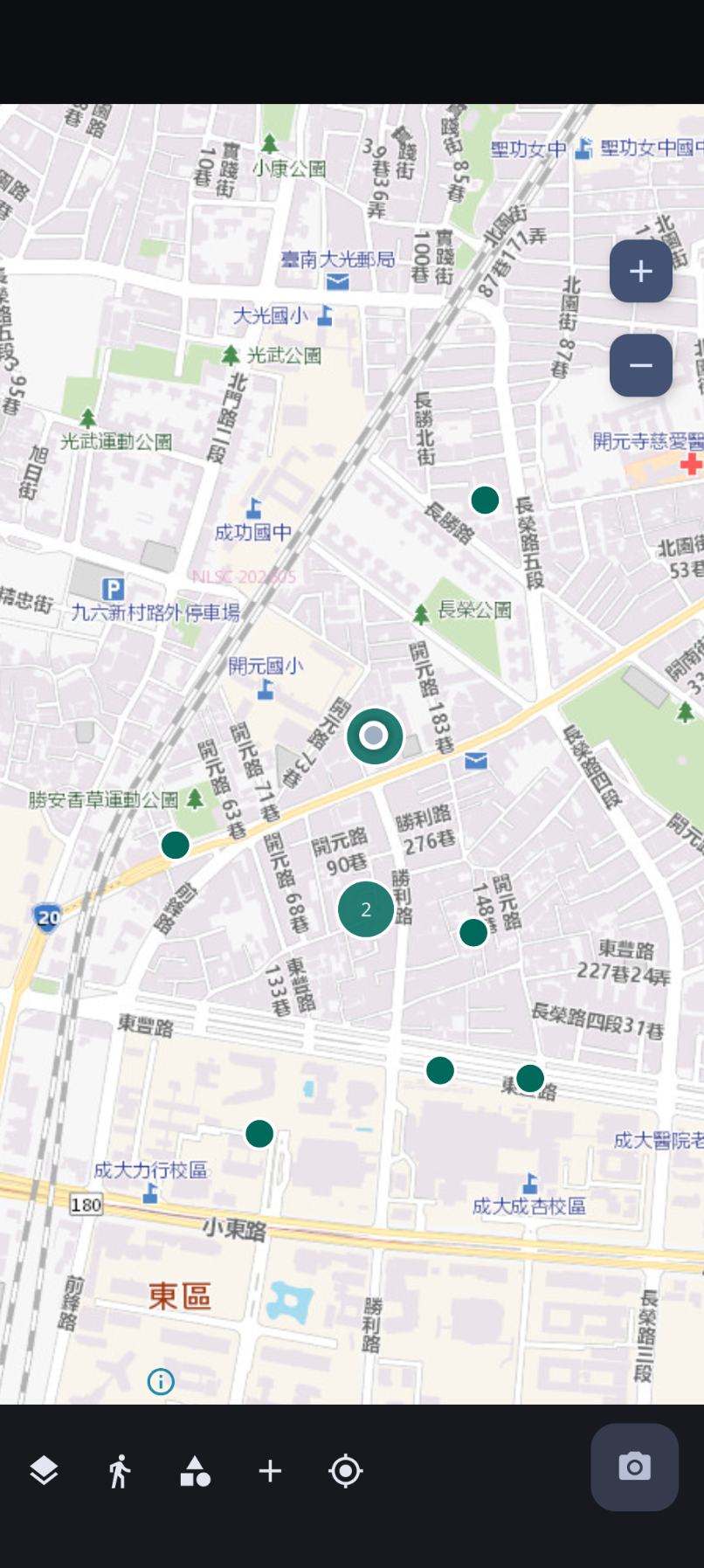
地圖瀏覽各類型點位
Browse points on the map
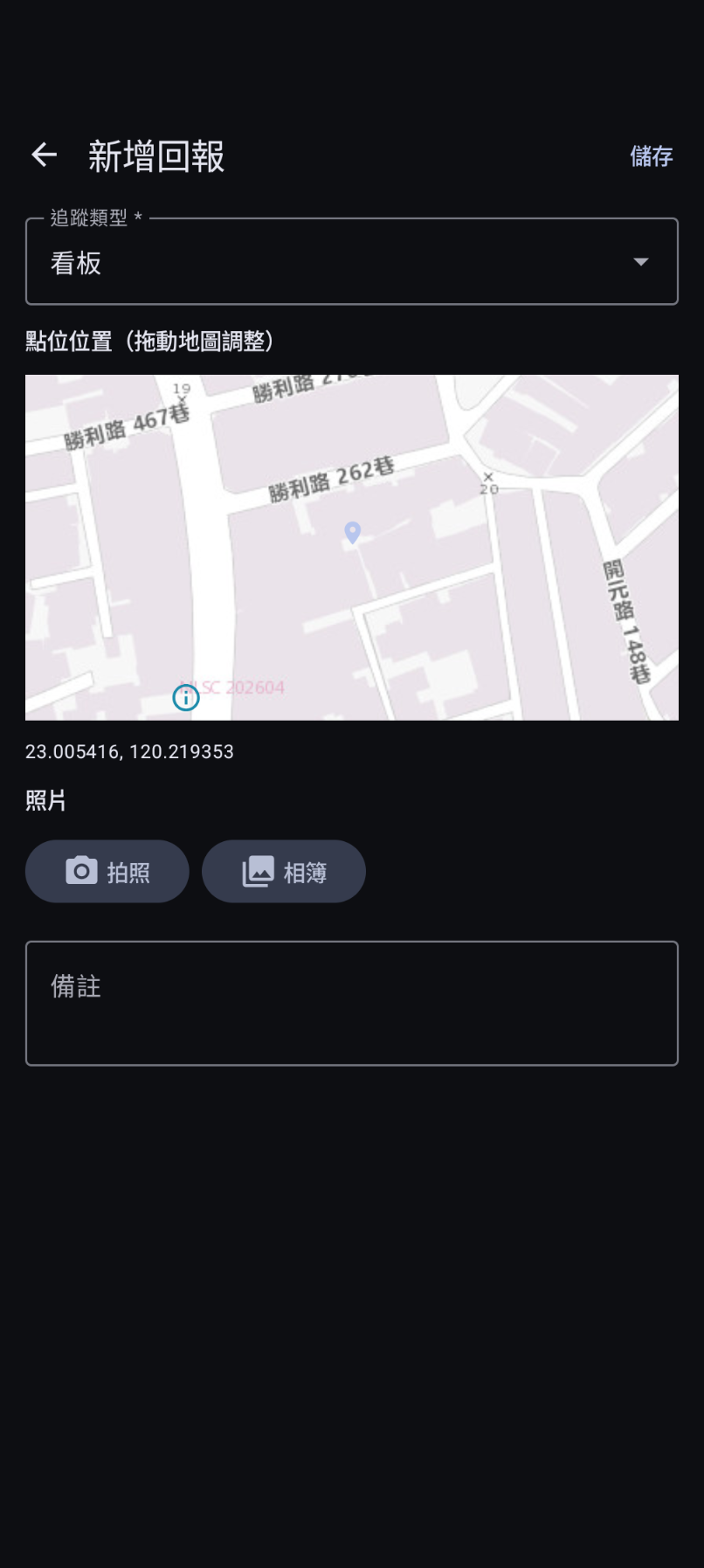
新增回報,選擇類型與拍照
Create a report with type and photo
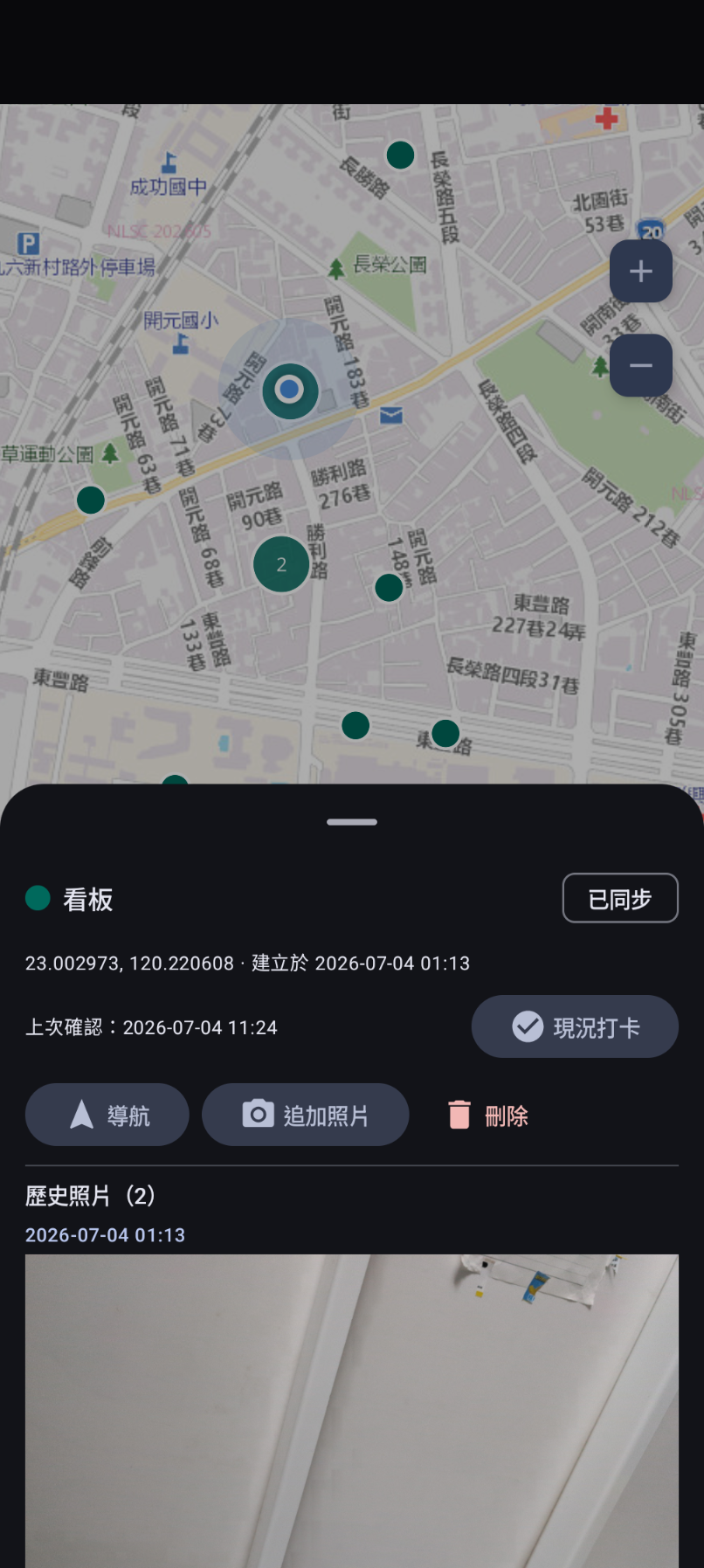
點位詳情與歷史照片
Point detail with photo history
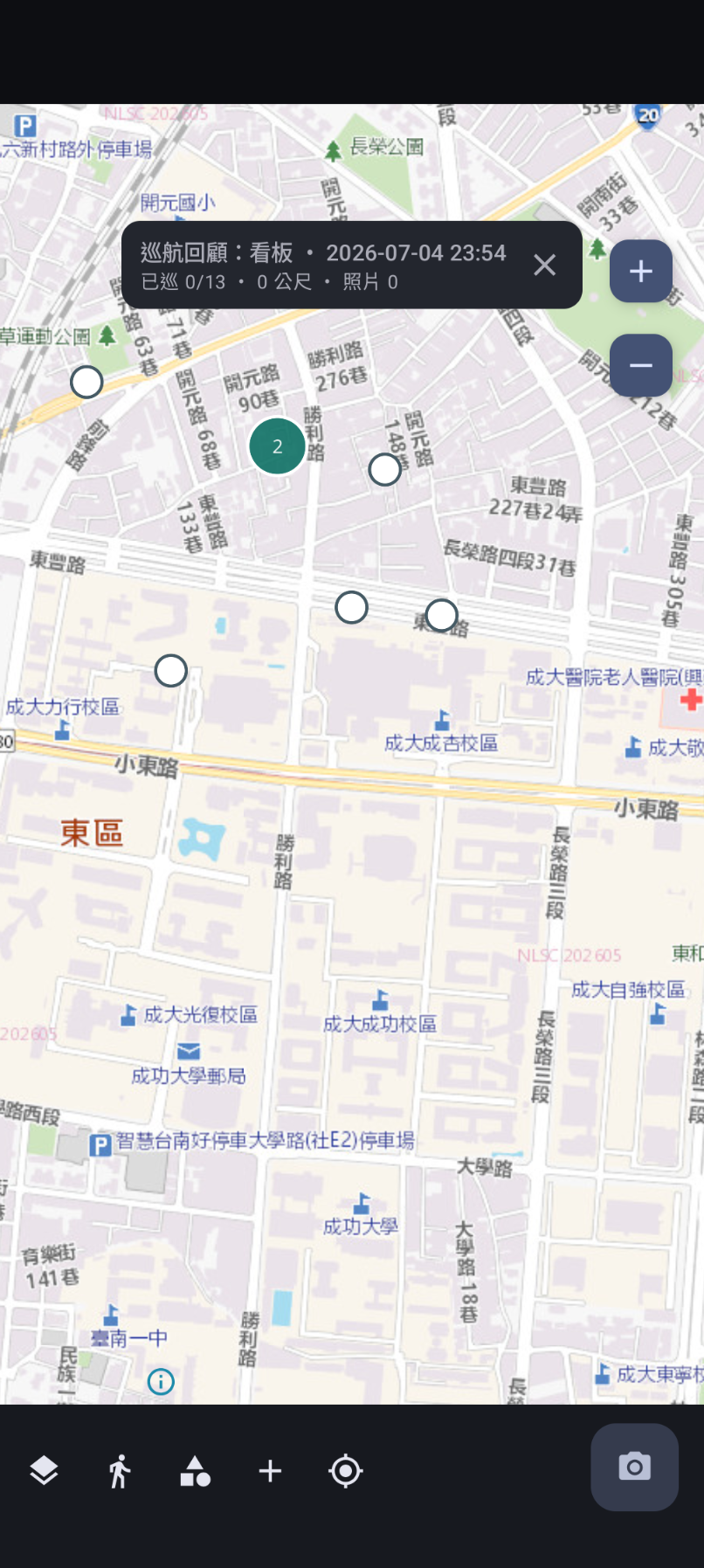
巡航模式,一覽待巡點位
Cruise mode to review points
本應用程式使用 Google OAuth 2.0 驗證,讓使用者可以選擇性地將回報資料同步至個人的 Google 試算表及 Google 雲端硬碟。以下說明本應用程式如何存取、使用、儲存及分享 Google 使用者資料。
This app uses Google OAuth 2.0 to optionally sync user-reported data to the user's own Google Sheets and Google Drive. Below is how this app accesses, uses, stores, and shares Google user data.
| 權限範圍 Scope | 用途 Purpose |
|---|---|
googleapis.com/auth/spreadsheets |
讀寫使用者指定的 Google 試算表,以同步點位紀錄(座標、分類、備註等)。 Read and write the user-specified Google Spreadsheet to sync point records (coordinates, category, notes, etc.). |
googleapis.com/auth/drive |
將使用者拍攝的現場照片上傳至使用者指定的 Google 雲端硬碟資料夾,並瀏覽雲端硬碟以讓使用者選擇目標試算表與資料夾。 Upload user-taken photos to the user-specified Google Drive folder, and browse Drive to let the user select target spreadsheets and folders. |
使用者可隨時在應用程式內登出 Google 帳號,或透過 Google 帳號安全性設定 撤銷本應用程式的存取權限。撤銷後,應用程式將無法存取您的 Google 試算表與雲端硬碟,但裝置上的本地資料不受影響。
Users can sign out of their Google account within the app at any time, or revoke access via Google Account security settings. After revocation, the app will no longer access your Google Sheets or Drive, but local data on the device remains unaffected.
聯絡信箱 Contact: [email protected]
隱私權政策 Privacy Policy: privacy.html